
Enable the NuGet Market
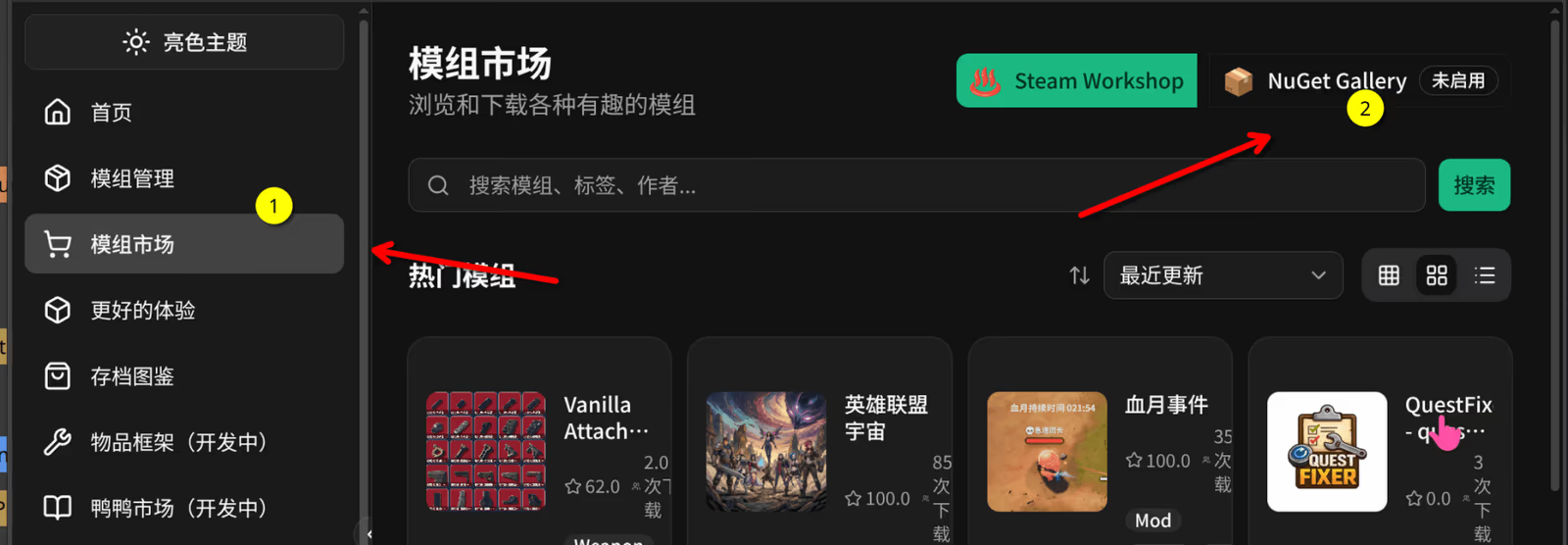
SuperDucky’s mod market has two sources: Steam Workshop and NuGet Gallery. Steam Workshop is available by default. NuGet Gallery must be enabled manually, because NuGet is a third-party open platform.
Once enabled, you can browse and install mods published on NuGet from inside the app.
1. Open NuGet Gallery
Section titled “1. Open NuGet Gallery”Open Mod Market in the left sidebar and click NuGet Gallery at the top right. While it is off, a “Not enabled” badge appears next to it.
2. Read the risk notice and confirm
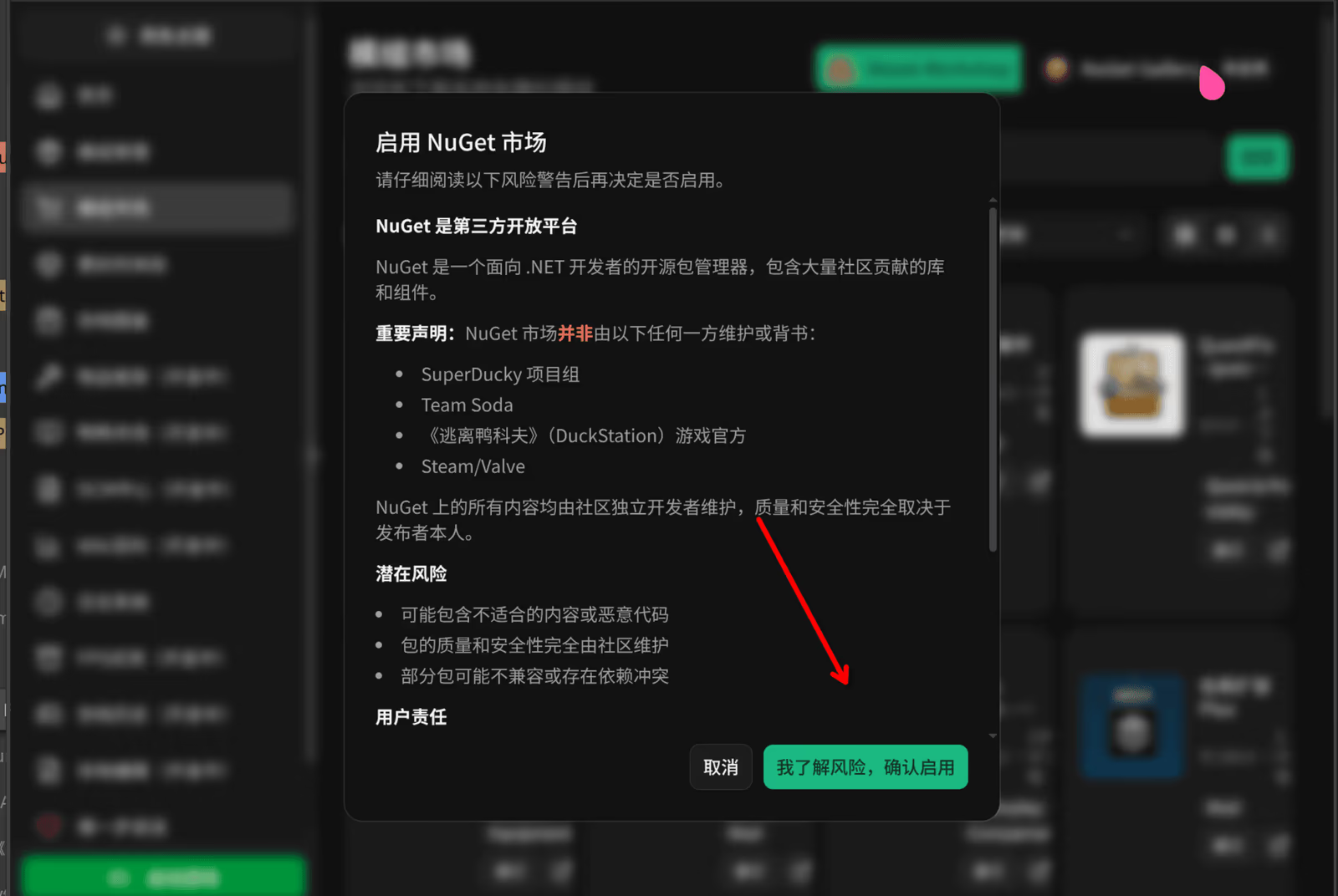
Section titled “2. Read the risk notice and confirm”A dialog titled “Enable NuGet market” appears. Read it in full, then click I understand the risks, enable.
What to know before you enable it
Section titled “What to know before you enable it”NuGet is an open-source package manager for .NET developers, and everything on it is maintained independently by the community. The dialog states that:
- The NuGet market is not maintained or endorsed by the SuperDucky team, Team Soda, the official Escape from Duckov team, or Steam/Valve.
- Packages may contain inappropriate content or malicious code, and their quality and safety depend on the publisher.
- Some packages may be incompatible or have dependency conflicts.
- By enabling it, you agree to judge each package’s safety and suitability yourself and to take responsibility for problems caused by third-party packages.
Reporting inappropriate content
Section titled “Reporting inappropriate content”- Click Report Abuse on the package’s page on NuGet.
- Or open an issue with SuperDucky. Inappropriate content is added to the blocklist.
Turning it off
Section titled “Turning it off”You can disable the NuGet market at any time in the market settings.
Troubleshooting
Section titled “Troubleshooting”Cannot reach NuGet
Section titled “Cannot reach NuGet”Check your network connection and make sure you can reach NuGet.
A mod fails to install
Section titled “A mod fails to install”Make sure you have enough disk space, and check whether the mod is compatible with your game version and the other installed mods. The health check in Mod management lists dependency problems and conflicts.
HagiCode
HagiCode is an agentic coding workspace. Rich, convenient UI interactions make planning, agent execution, and project work approachable and easy to navigate, creating an engaging development experience.
Explore an engaging development experience through rich, convenient UI interactions.

- SmartOpenSpec workflows turn intent into an executable path, from proposal to design, tasks, and a shipped change.
- EfficientMulti-agent execution keeps research, implementation, and review moving in parallel, across several repositories and the Agent CLIs you already use.
- InterestingRich, convenient UI interactions make planning, agent execution, and project work approachable and easy to navigate.
Download for Windows
Share HagiCode

Turn ideas into shipped software.
HagiCode is an agentic coding workspace. OpenSpec workflows plan the change, multi-agent execution carries it out, and Hero Scenario makes the long run visible, so ideas become shipped software.
- Smart
- OpenSpec workflows turn intent into a path from proposal to shipped change.
- Efficient
- Multi-agent execution runs research, build, and review in parallel.
- Fun
- Rich UI interactions make planning, agent work, and projects easier to follow.
© 2026 HagiCode | Powered By hagilight-starlight@0.20.0 | Branch: main | Commit: d34e52c | Built: